Set up in under 5 minutes. No credit card required.
Who Made This
Tidy Go Links is built by Free Code Collective — a group of ex-big (and small) tech employees who build free, open-source versions of tools we ♥.
Why we built this
We worked at companies that had go links and they were one of our favorite internal tools. Type go/vacation instead of hunting through bookmarks. Type go/okrs to find company OKRs. go/[myname]-[yourname] for all of your 1:1 notes documents.
When we moved to new companies, we wanted that same experience — simple go links. But the existing solutions weren't free and had features we didn't need. So we built our own go links tool — the way we think go links should be: fast, no frills, and free.
Open source
This project is fully open source. If you want to contribute, fork it, or build your own go links product on top of it — go for it.
Free Code Collective is a community of developers who believe the best tools should be accessible to everyone. We build and maintain open-source projects that solve real problems — no venture funding, no freemium traps, no strings attached. Just good software, freely available.
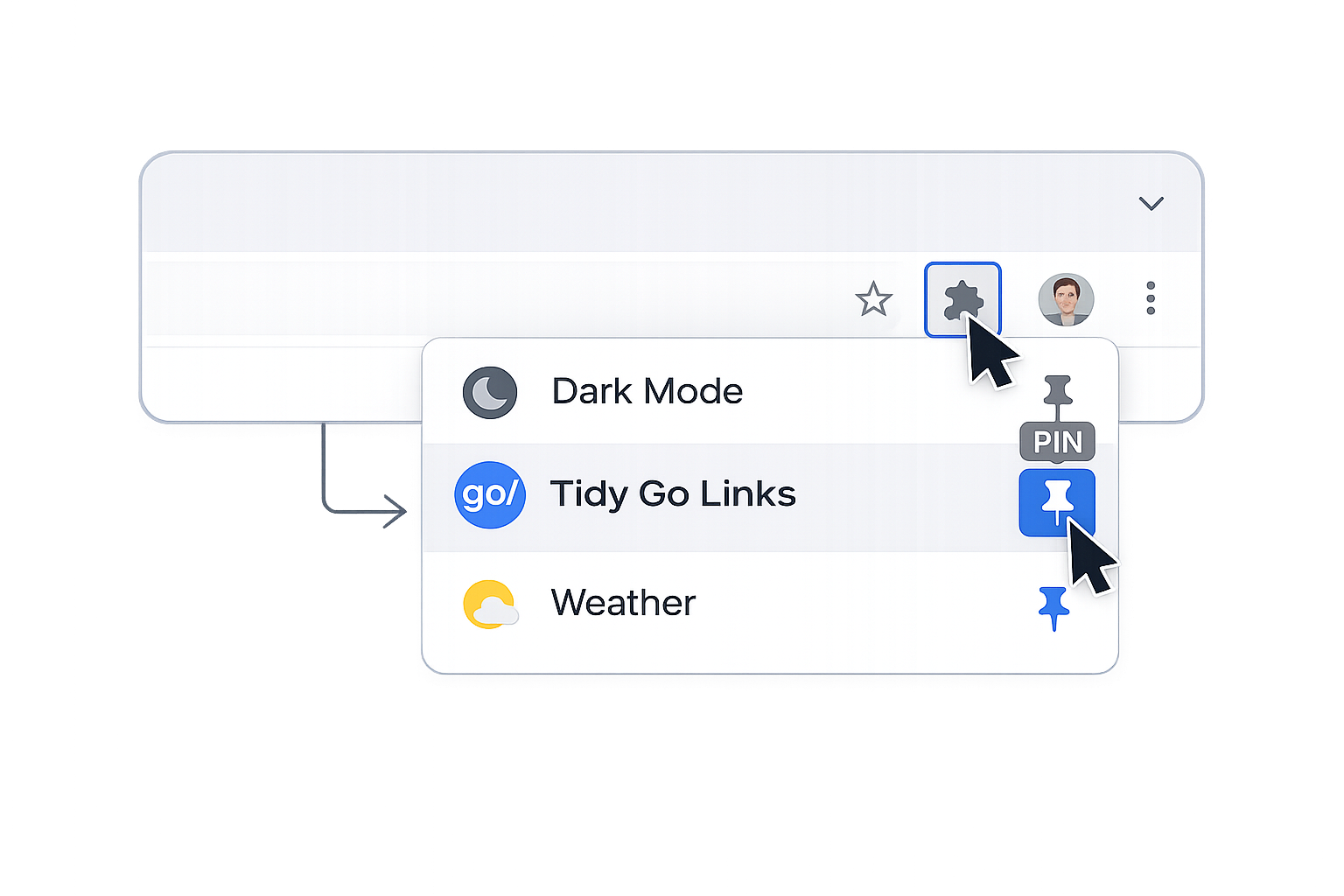
Pin the extension in Chrome so it's always accessible.
Step 3
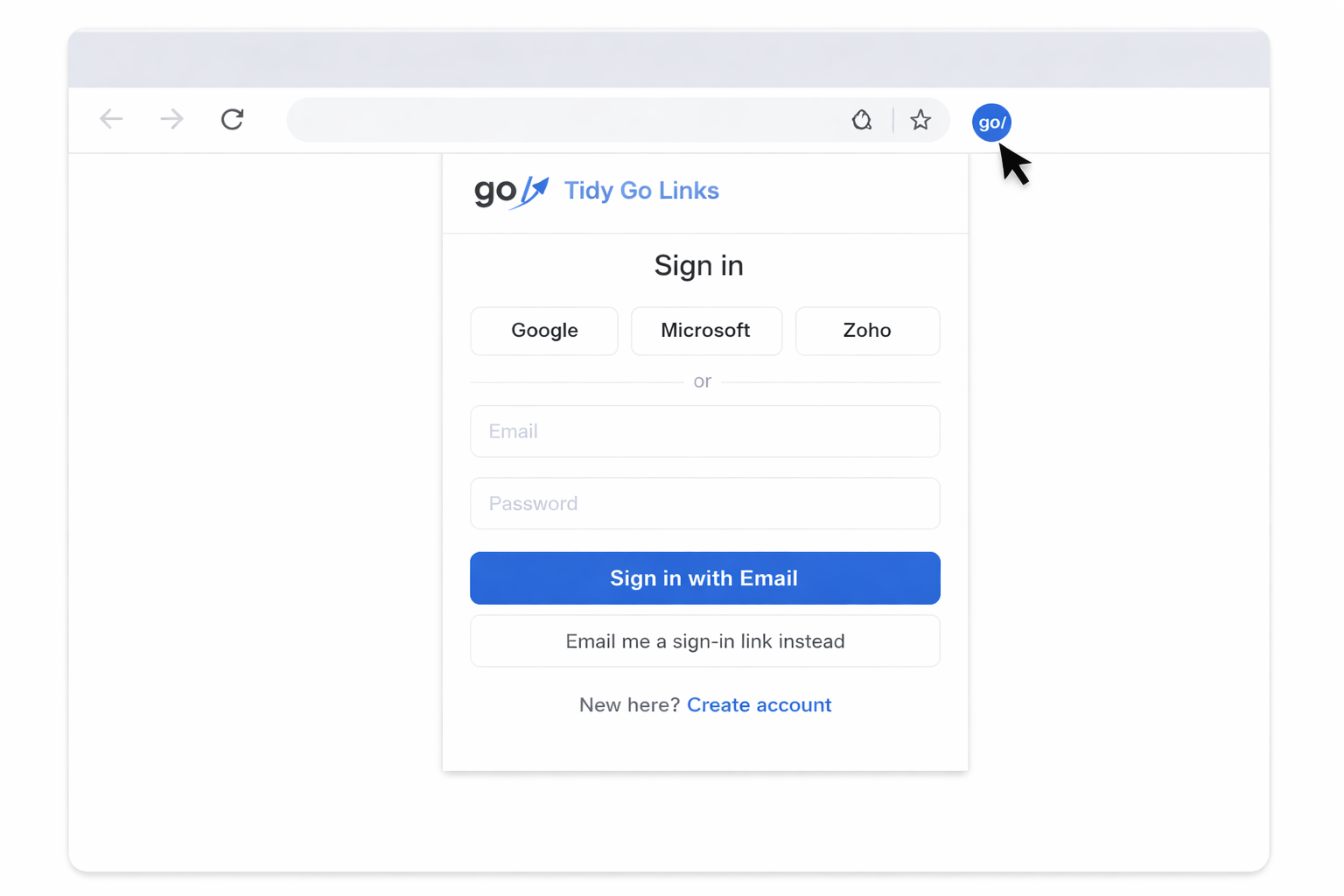
Sign in
Click the blue go/ extension icon and sign in with your account.
Step 4
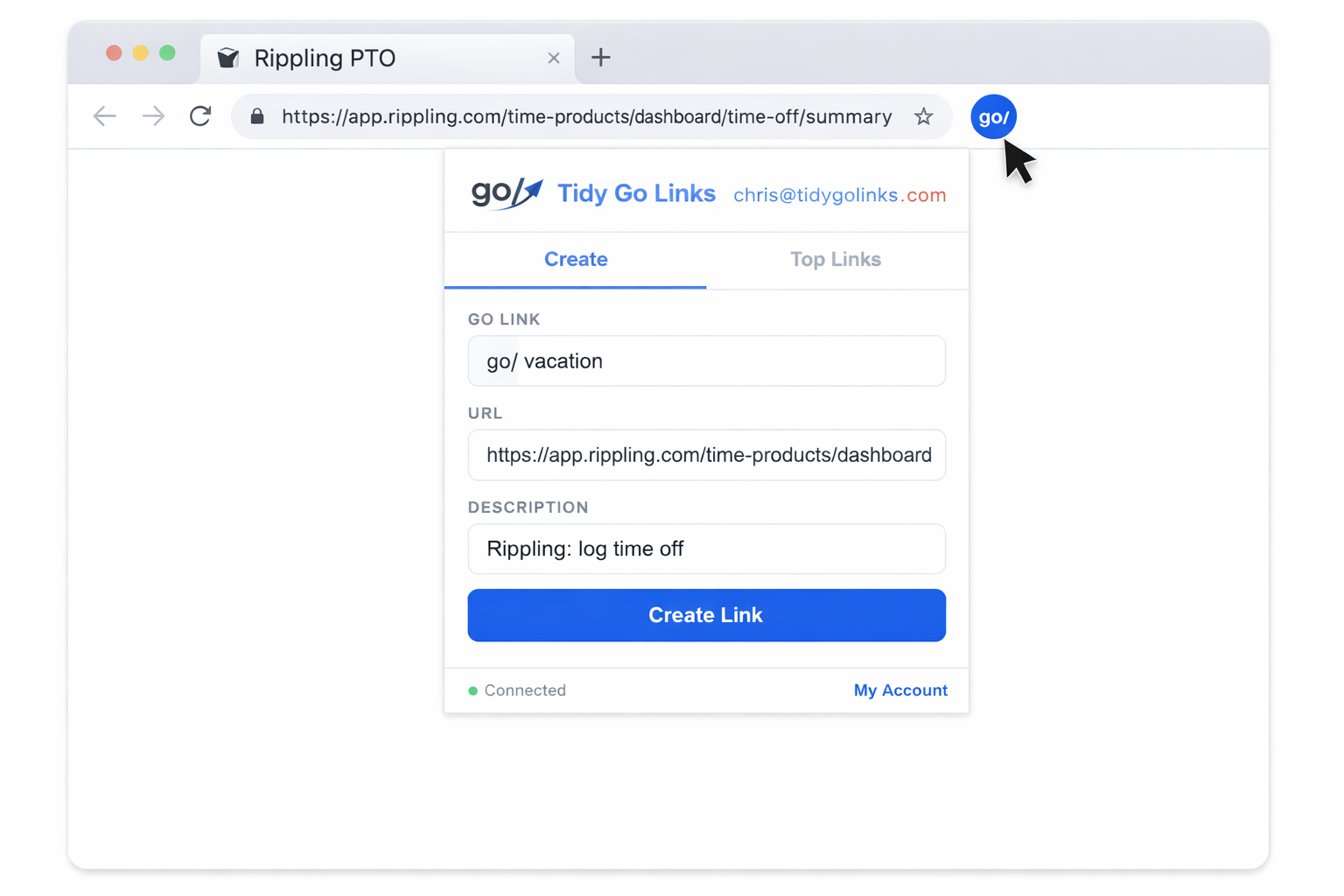
Create
Go to a web page you frequently use, click the blue go/ extension icon, and create your first Tidy Go Link!
Frequently Asked Questions
Everything you need to know about Tidy Go Links.
What are go links? ▾
Go links are short, memorable URLs that redirect to longer destinations. Instead of bookmarking https://docs.google.com/spreadsheets/d/1a2b3c..., you create go/budget and share that with your team. They originated at Google and are now used at most major tech companies.
Is Tidy Go Links really free? ▾
Yes. Tidy Go Links is 100% free and open source. There are no paid tiers, no feature gates, and no usage limits. We built this because we wanted go links at every company we work at — not just the ones with big budgets.
How do I set up go links for my team? ▾
Sign up with your work email. Tidy Go Links automatically creates a workspace for your domain, so anyone at your company who signs up joins the same workspace. Then install the browser extension and start creating links. No DNS changes, no IT tickets, no configuration required.
Do I need the browser extension? ▾
The extension gives you the best experience — type go/ directly in your browser's address bar and it just works. Without the extension you can still use the dashboard to manage links, but you'll navigate to them from the dashboard instead of the address bar.
Which browsers are supported? ▾
The extension is available for Chrome and any Chromium-based browser (Edge, Brave, Arc, etc.). Firefox support is on our roadmap. The web dashboard works in all modern browsers.
Can I use go links for personal use? ▾
Absolutely. When you sign up with a personal email (Gmail, Outlook, etc.) you get a personal workspace. It's great for organizing your own bookmarks with short, memorable names.
Who can see my go links? ▾
Go links are visible to everyone in your workspace. If you're on a company workspace (e.g. @acme.com), all Acme employees who sign up can see and use the same links. Personal workspaces are private to you.
Is my data safe? ▾
We take privacy seriously. We don't track your browsing, sell your data, or inject anything into pages you visit. The extension only activates when you type go/. All data is encrypted in transit and at rest. Read our full Privacy Policy for details.
How is this different from GoLinks, Trotto, or other tools? ▾
Most go link tools charge per user per month and bundle features many teams don't need. Tidy Go Links is free, open source, and focused on doing one thing well: short links that work. Check out our comparison page for a detailed breakdown.
What are alternate go links? ▾
Alternate go links let you create multiple short names that all point to the same URL. For example, you might create go/hr as the main link and go/human-resources and go/people as alternates. The key benefit: when anyone updates the URL on the main link, all the alternates automatically update too — so they never get out of sync. You can add up to 3 alternates when creating a link from the browser extension.
Click the puzzle piece icon, then pin Tidy Go Links
1. Click the puzzle piece icon (top-right of Chrome) 2. Find "Tidy Go Links" and click the blue pin icon
✓ Done
3
Sign In
Click the extension icon and sign in
✓ Done
4
Create a Tidy Go Link
Use the extension to create your first link
✓ Done
👥
Invite your team to Tidy Go Links!
🏢
You're on a personal workspaceSign in with your work email to share go links with your entire team.
Create Tidy Go Link
Your Tidy Go Links
🔍
Go Link
Destination
Description
Clicks
No links yet. Create your first go link above or using the Chrome extension!
Edit go link
go/
Your analytics
Minutes saved
—
Total clicks
—
Top Tidy Go Links
Recently used
Account Settings
Email
Display Name
Workspace
Support Chats
No open chats.
Platform Overview
-
Total Users
-
Workspaces
-
Go Links
-
Total Clicks
-
Signups (7d)
-
Signups (30d)
-
New Links (7d)
-
Clicks (7d)
💾Last backup:checking...
Customer
Type
Members
Links
Clicks
Created
-
Members
-
Go Links
-
Total Clicks
-
Clicks (7d)
-
Extension Installed
Members
User
Role
Links
Clicks
Extension
Last Active
Signed Up
Onboarding Timeline:
Go Links
Slug
URL
Creator
Clicks
Last Clicked
Created
Actions
Email
Workspace
Role
Links
Signed Up
Slug
URL
Workspace
Creator
Clicks
Actions
Preview and send any onboarding email. Useful for testing how emails look or resending to a user.
Email
When Sent
Subject
Send Test
My Organization
Total Tidy Go Links
—
Total clicks (all time)
—
Time saved (all time)
—
minutes
Team members
Name
Role
Extension
Links Created
Top Go Link
Most popular go links
#
Go Link
Description
Clicks
Created By
Manage Users
Name
Status
User Type
ⓘ
4/12/26: Howdy users! We took our open source resource down while we wait for Anthropic to release Glasswing. We'll put the code back up once we've unleashed Glasswing on it & made the necessary improvements. (dismiss)